Image to PDF Converter Free – Convert JPG, PNG Images to PDF Online
🖼 Image to PDF Converter
Select one or multiple JPG images to convert into a single PDF
What is an Image to PDF Converter?
An Image to PDF Converter free tool is an online tool that allows you to convert image files such as JPG, JPEG, and PNG into a single, well-formatted PDF document. Instead of sending multiple image files separately, you can combine them into one PDF file that is easy to share, download, and store.
Our free Image to PDF Converter works entirely in your browser, which means you don’t need to install any software or create an account. Whether you are converting scanned documents, photos, invoices, or certificates, this tool helps you create professional-quality PDFs in just a few seconds. The original image quality is preserved, and the layout remains clean and readable.
This tool is ideal for students, professionals, business owners, and anyone who frequently works with images and documents. With fast processing and a simple interface, converting images to PDF has never been easier.
How to Use the Image to PDF Converter
Using this Image to PDF Converter is simple and beginner-friendly. Just follow these steps:
Click on the Upload Images button and select one or multiple JPG, JPEG, or PNG files from your device.
Arrange the images in the order you want them to appear in the PDF.
Click the Convert to PDF button to start the process.
Once the conversion is complete, download your PDF file instantly.
No registration, no watermarks, and no technical knowledge required. The entire process happens online, making it fast and secure.
Why Use Our Image to PDF Converter?
There are many reasons to choose our tool over other online converters:
Completely free to use with no hidden limits
Supports multiple image formats including JPG, JPEG, and PNG
Combines multiple images into one single PDF
Works on all devices – mobile, tablet, and desktop
No software installation or signup required
Maintains original image quality
If you value speed, simplicity, and privacy, this Image to PDF Converter is a reliable choice.
Common Use Cases and Examples
This tool can be useful in many real-life situations:
Students converting handwritten notes or assignments into PDF
Office workers creating PDFs from scanned documents
Business owners combining invoices or receipts into one file
Freelancers sharing image-based work in a professional format
Individuals storing photos as a single PDF for easy access
Instead of sending multiple image files, one PDF keeps everything organized and professional.
Frequently Asked Questions (FAQs)
1. Is this Image to PDF Converter free to use?
Yes, this tool is completely free. You can convert images to PDF without any charges or limitations.
2. Which image formats are supported?
You can upload JPG, JPEG, and PNG images and convert them into a PDF file.
3. Is my data safe while using this tool?
Yes. The conversion process happens securely, and your files are not stored permanently.
4. Can I convert multiple images into one PDF?
Absolutely. You can upload multiple images and merge them into a single PDF document.
5. Do I need to install any software?
No installation is required. The tool works entirely online in your browser.
Related Tools You May Find Useful
Convert PDFs back to images using our PDF to Image Converter
Combine multiple PDF files with the PDF Merger Tool
Change image formats using the PNG to JPG Converter
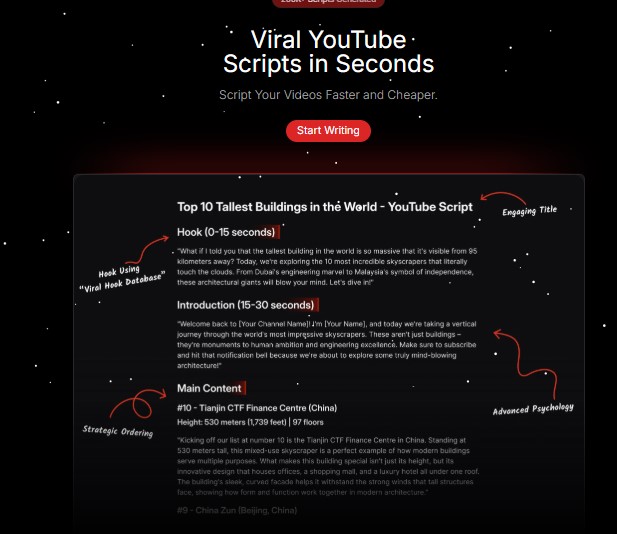
Tube Magic – AI Tools For Growing on YouTube Software
Write world-class scripts and start taking advantage of some of the best AI tools out there for growing your YouTube channel faster.